Best IPTV Providers for Canadian Sports 2026: Pure IPTV vs StreamElite vs Royal Stream
August 30, 2026 · 9 min read
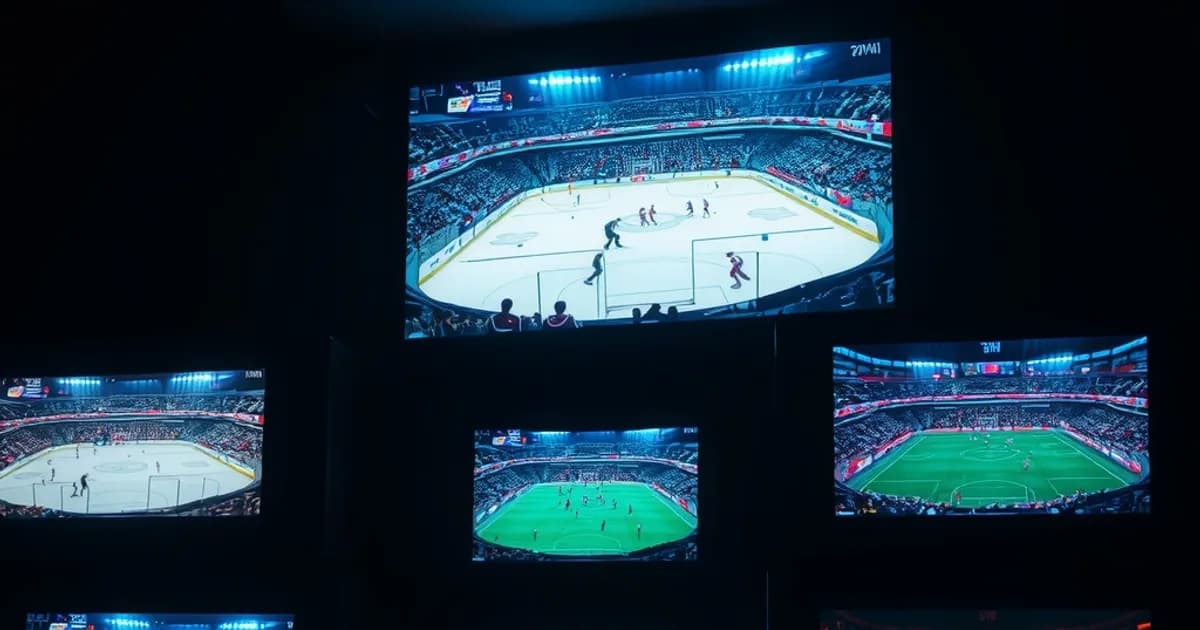
The NFL regular season opens September 9, 2026 — ten days from now — and the NHL follows on September 29. If you're a Canadian sports fan searching "IPTV Canada reviews" this week, you're not browsing casually. You're trying to lock in a service before Sunday kickoffs and puck drops start testing it in real conditions, and you don't want to find out mid-Grey-Cup that your provider can't hold a 4K TSN feed.
Most review sites answer a different question than the one you're actually asking. Sites like SoftwareTestingHelp, Guru99 and various IPTV directories rank three providers — Pure IPTV, StreamElite IPTV, Royal Stream IPTV — side by side on generic criteria: channel count, price, device support. What they skip is the question that actually matters for a Canadian sports viewer: which one holds up when TSN, Sportsnet, and RDS are simultaneously slammed with traffic during a Saturday NHL slate or a Sunday NFL triple-header, and which one survives an ISP that starts throttling once it recognizes sustained high-bitrate streaming.
This isn't a generic feature comparison. It's a framework for stress-testing any provider — including these three — against the specific failure modes that show up during peak Canadian sports windows, plus what to actually check before the season gets underway.
The NFL/NHL Timing: Why Provider Choice Matters (Sept–Dec 2026 Peak)
Provider quality is invisible on a Tuesday night with nothing on. It becomes obvious the moment concurrent demand spikes — and Canadian sports fans are about to hit the heaviest concurrent-demand stretch of the calendar. NFL Sunday windows (1pm, 4pm, primetime) stack three kickoff waves in a single day starting September 9. The NHL regular season opens September 29 and immediately layers Saturday Hockey Night in Canada slates on top of that. By October, a single weekend can have TSN, Sportsnet, RDS and CTV all carrying simultaneous live sport, and every IPTV provider on the market is routing that same load through the same limited server infrastructure.
This is exactly when weak provisioning shows itself: buffering wheels during a scoring play, pixelation on the exact drive that mattered, or a channel that silently drops to a lower bitrate under load. A provider that looked flawless in August — with nothing live to stress it — can behave completely differently in week 3 of the NFL season. That gap between "looked fine on signup" and "held up during Grey Cup" is the entire reason a sports-specific evaluation is worth doing now, before the schedule gets heavy, rather than after a bad Sunday.
The practical implication: don't judge a provider on a quiet weeknight test stream. Judge it — or ask about it directly — for how it performs specifically during the windows when Canadian sports traffic peaks. That's a different question than "does it work," and it's the one that actually predicts your season.
Curious how a provider actually holds up during a live game before you commit to a full season?
Pure IPTV vs StreamElite vs Royal Stream: Feature Comparison Table
All three names show up regularly in Canadian IPTV review threads, and all three are positioned as general-purpose services rather than sports-first products. That distinction matters more than it sounds: a general-purpose IPTV catalogue optimizes for breadth (movies, international channels, VOD libraries) while a sports-focused viewer cares almost exclusively about a narrow slice — TSN, Sportsnet, RDS, CTV, and whatever regional feeds carry your specific teams — performing flawlessly under load.
Rather than quoting specific channel counts or price points for these providers — figures that change constantly and that no honest review site can verify in real time without testing an active subscription — the comparison that actually holds up is structural: does the provider publish or disclose server region and CDN setup, does it offer any kind of trial or short-commitment window so you can stress-test it yourself during a live game, and does its support channel respond in real time (not just a ticket queue) when a stream drops mid-event.
Those three questions — infrastructure transparency, testability before you commit long-term, and live support responsiveness — predict sports performance far better than a marketing page's advertised channel list. Any provider unwilling to let you verify performance during an actual live sports window before locking you into an annual plan is telling you something.
Sports Stability: TSN/Sportsnet Channel Reliability During Peak Hours
TSN and Sportsnet reliability under load is the single most important variable for a Canadian sports IPTV subscription, and it's also the hardest thing to verify from a review site because it changes week to week depending on server capacity and how many subscribers a provider has stacked onto the same feed. The only trustworthy test is a live one: watch the channel during an actual high-traffic broadcast — a Saturday Hockey Night in Canada doubleheader, a Sunday NFL early slate — not a weekday afternoon rerun.
What you're watching for specifically: does the stream hold a consistent bitrate through a full period or quarter, or does it visibly step down in quality when the action gets busiest (which is often the exact moment a provider's server is under the most concurrent strain)? Does the feed recover cleanly after a brief drop, or does it require a full app restart? A provider that's rock-solid during a quiet Tuesday afternoon test but degrades on Saturday night hasn't actually been tested for the thing you're buying it for.
If you're unfamiliar with how to run this kind of test methodically — timing, what metrics to watch, how to tell buffering caused by the provider apart from buffering caused by your own connection — our guide on verifying IPTV reliability and uptime in Canada (/blog/iptv-reliability-uptime-canada-verify-test) walks through the process step by step before you commit to a full season on any provider.
4K Sports Streaming: Which Provider Delivers Without Buffering?
4K sports streaming asks more of a provider's infrastructure than any other content type — sustained high bitrate, for two-plus hours, with no room for the encoder to compress hard during static scenes the way it can on film or TV. Camera cuts, fast puck or ball movement, and crowd-shot pans push a 4K sports encode close to its ceiling almost continuously, which is exactly why some providers that stream 4K movies cleanly still stumble on 4K live sport.
The honest answer to "which provider delivers 4K sports without buffering" isn't a fixed ranking — it depends on your own connection headroom, your router's handling of sustained high-bitrate UDP or HLS traffic, and which server region a given provider routes you through, which can vary by account even within the same service. A provider that's flawless in 4K for one subscriber in Toronto can behave differently for a subscriber in a different region hitting a different server cluster.
What's actually controllable on your end: make sure your smart TV or device is set up correctly for sustained 4K playback before you blame the provider. A misconfigured app, an outdated firmware version, or a TV defaulting to a lower internal buffer setting can produce buffering that has nothing to do with the IPTV service itself. Our setup guide for Samsung and LG smart TVs in Canada (/blog/iptv-samsung-lg-smart-tv-canada-setup) covers the configuration steps that eliminate that variable before you run any provider comparison.
Canadian Support & Response Time: Game-Day Downtime Management
A stream going down mid-game is inevitable eventually, for any provider — the differentiator isn't whether it happens, it's how fast you can get a working alternative feed or a fix once it does. This is where generic review sites go quiet, because support responsiveness is nearly impossible to benchmark from the outside without an active subscription during a live incident.
What's worth checking directly, before you subscribe: does the provider offer real-time chat support (WhatsApp, Telegram, live chat) versus an email ticket queue with a 24-48 hour turnaround? A ticket queue is fine for billing questions. It's useless when TSN drops in the third period and you need a backup server address in the next five minutes, not the next business day.
Ask specifically about game-day support hours — some services staff up during major sports windows (playoff runs, Grey Cup, Stanley Cup Final) and thin out otherwise. If a provider can't answer that question directly, treat it as a signal about how they'll handle an actual outage.
Pricing vs Performance: Annual Plans and Hidden Costs Compared
We're deliberately not quoting specific prices for Pure IPTV, StreamElite, or Royal Stream here — published pricing on IPTV services shifts frequently, varies by promotion, and is easy for a review site to get wrong or stale. What's useful instead is the framework for judging value once you have real numbers in front of you.
The single biggest pricing trap in this category is the annual-plan discount that looks attractive on the signup page but locks you into a full year before you've verified sports-hour performance. If a provider won't offer any short-term option — even a paid trial period — to test through at least one live sports weekend, the annual discount isn't a deal, it's a bet placed before you have the information to make it.
Before comparing sticker prices across providers, get clear on what you actually need: how many concurrent connections/devices, which specific channels (don't pay for a package built around channels you'll never watch), and whether 4K is included or an upsell. Our broader guide to choosing an IPTV subscription in Canada (/blog/iptv-subscription-canada-2026-how-to-choose) covers that decision framework in more depth if you're comparing beyond just these three names.
Bandwidth & ISP Throttling: How Each Provider Performs on Bell/Rogers/Videotron
This is the factor competitor review sites miss almost entirely, and it's arguably more important than which provider you pick: Canadian ISPs — Bell, Rogers, Videotron and others — can apply traffic shaping to sustained high-bitrate streaming once it's identified as such, independent of which IPTV service is sending it. That means the exact same provider can perform flawlessly on one Canadian connection and buffer constantly on another, purely because of how the ISP is handling the traffic pattern, not because of anything the provider is doing wrong.
Before blaming a provider for buffering during a big game, it's worth ruling this out. Signs that point to ISP throttling rather than provider weakness: buffering that gets worse specifically during peak evening hours across all your streaming (not just IPTV), a VPN noticeably improving stream stability, or your ISP's own speed test showing full bandwidth while the stream still struggles.
We wrote a full detection-and-prevention guide for exactly this scenario — how to tell ISP throttling apart from a provider problem, and what steps (server selection, VPN, protocol changes) actually help on Bell, Rogers and Videotron connections specifically. See /blog/isp-throttling-iptv-canada-detect-prevent before you switch providers over what might actually be a network-level issue on your own connection.
See the plans built for consistent sports performance through the NFL and NHL season.
Verdict: Which Provider to Choose for Your Viewing Habits (CFL, NHL, NFL, Canadian League)
There's no single winner here, and any review claiming one provider objectively beats the other two on sports performance without you running your own live test is overstating what's knowable from the outside. Server load, your own ISP's throttling behavior, and regional routing all shift the real-world answer on a subscriber-by-subscriber basis.
What does change the outcome is matching your setup to your viewing habits before you commit. A CFL and NHL viewer watching mostly through a Kodi build on a set-top box has different failure points than an NFL viewer watching 4K on a Samsung smart TV app. If you're setting up specifically for CFL alongside other Canadian sports, our Kodi setup guide for Canada (/blog/kodi-iptv-canada-setup-cfl-sports-guide) covers the configuration that avoids the most common buffering causes on that platform. If your focus is the NHL season opening September 29, the NHL 2026-27 Sportsnet setup guide (/blog/nhl-2026-27-sportsnet-setup-guide-canada) is built around that exact schedule. And for the NFL season starting September 9, the September 2026 streaming guide (/blog/nfl-iptv-canada-september-2026-streaming-guide) walks through week-one setup specifically.
The bottom line: run the live-game test described above — not a quiet-night test — on whichever provider you're considering, rule out your own ISP as the cause of any buffering first, and confirm real-time support exists before the season gets busy. That process matters more than any single brand name in this comparison.
Frequently asked questions
Is Pure IPTV, StreamElite, or Royal Stream best for Canadian sports specifically?
There's no fixed winner — sports performance for any of these depends on server load at the time, your own ISP's throttling behavior, and regional routing, all of which vary by subscriber. The reliable approach is testing during an actual live sports window (not a quiet weeknight) before committing to a long-term plan.
Why does my IPTV stream buffer specifically during big games but not other times?
Two likely causes: the provider's servers are under heavier concurrent load during peak sports windows, or your ISP is throttling sustained high-bitrate traffic once it detects the pattern. Testing with a VPN and comparing to your ISP's own speed test during the same window helps separate the two.
Does a paid IPTV service guarantee TSN and Sportsnet won't buffer during the NHL season?
No service can guarantee zero buffering — live sports streaming at scale always carries some risk during peak concurrent demand. What a good provider offers is fast recovery, responsive real-time support during an outage, and consistent bitrate under normal peak load, which you can only confirm by testing during an actual live broadcast.
Should I sign up for an annual IPTV plan before the NFL and NHL seasons start?
Only after testing through at least one live sports weekend on a shorter plan or trial period if the provider offers one. Locking into a full year before verifying sports-hour performance means betting on a provider before you have the information a season actually reveals.
How do I know if buffering is my ISP's fault and not the IPTV provider's?
Check whether the buffering is specific to sustained high-bitrate streaming during evening peak hours, whether a VPN improves it, and whether your ISP's own speed test shows full bandwidth even while the stream struggles. Our ISP throttling guide covers the full diagnostic process.
Does 4K make buffering worse during live sports?
Yes — 4K live sports encodes sustain a much higher bitrate than film or TV because fast motion and camera cuts give the encoder little room to compress, so any weakness in your connection, device setup, or the provider's server capacity shows up faster in 4K than in HD.