How to Watch on Viking IPTV: Canada Opening Night Setup Guide
September 15, 2026 · 9 min read
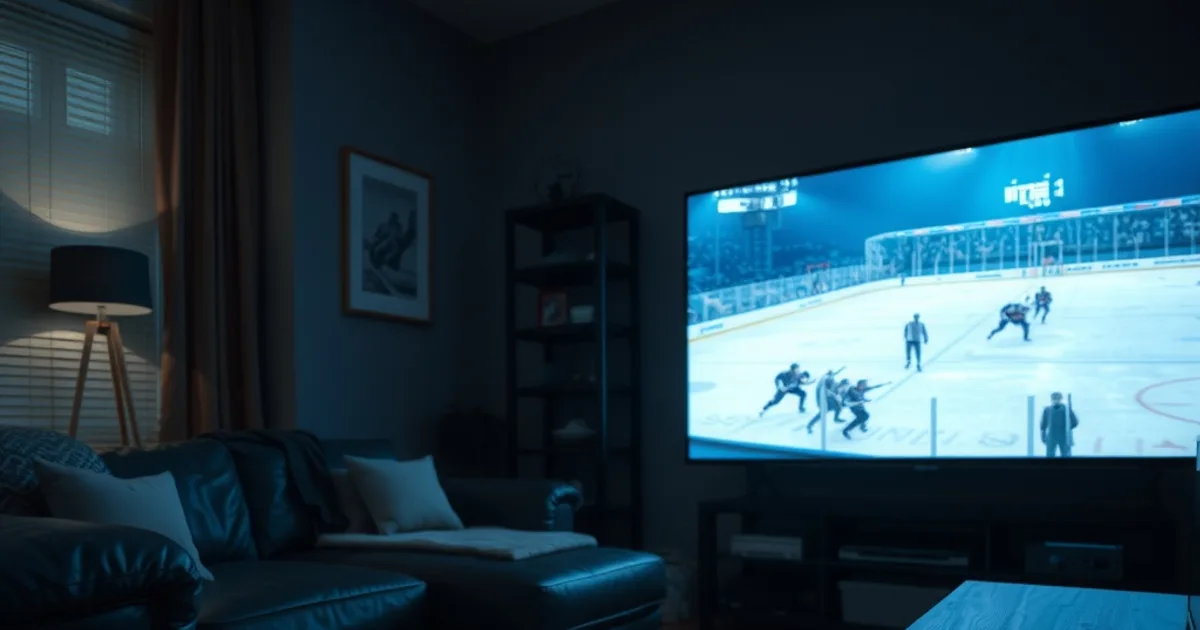
NHL opening night is fourteen days out. The Montreal Canadiens visit the Toronto Maple Leafs at 7 p.m. ET on Tuesday, September 29, with Vancouver at Edmonton following at 10 p.m. ET, kicking off an 84-game season that runs a record 1,344 regular-season games through early April. The very next night raises the stakes on how Canadians actually watch: starting Wednesday, September 30, Prime Video becomes the exclusive home of Wednesday Night Hockey in Canada, opening with the Islanders at the Leafs and holding that slot under a long-term rights deal for years to come. Two new appointments, on two different apps, inside 48 hours — and most households haven't stress-tested either one yet.
That's the gap this guide fills. Search results this month are either generic "how to watch the NHL" roundups or straight IPTV provider comparisons — neither one walks you through the actual mechanics of getting Viking IPTV running reliably on your specific device, protecting the stream from ISP throttling in the hour before puck drop, or keeping two screens alive in the same house when the third period gets tense. Reddit threads about Canadian IPTV consistently circle back to the same complaint: reliability during exactly these peak-demand windows, especially on Bell and Rogers connections that visibly slow down once a big audience piles onto live sports traffic.
This is a setup guide, not a channel list or a pricing pitch. It covers how to watch on Viking IPTV specifically for opening night, how to fit Prime Video's new Wednesday slot around it, and what to check on your own network before the puck actually drops — not after your stream already froze.
Why Viking IPTV Holds Up on a Big Hockey Night
A service that's fine for a Tuesday-afternoon rerun isn't automatically fine for opening night, when tens of thousands of households across the country try to pull a live 1080p or 4K-class stream at the exact same moment the game starts. What actually matters under that kind of load is boring, unglamorous stuff: whether the app reconnects cleanly after a dropped packet instead of freezing the frame, whether it falls back to a lower bitrate gracefully instead of buffering out completely, and whether support is reachable in the fifteen minutes before puck drop rather than the next business day.
That's the standard to judge how to watch on Viking IPTV against — not a marketing claim, but whether the setup you build this week survives contact with a full house on September 29. The rest of this guide is built around exactly that: get the app, the device, and your home network into a known-good state before the night it actually matters, so you're not troubleshooting during the first period.
If you're brand new to the service, treat the next two weeks as a rehearsal window. Install now, run a real stream during a lower-stakes game or a rerun, and fix whatever's wrong while there's no crowd competing for the same bandwidth. Waiting until 6:55 p.m. on the 29th to open the app for the first time is the single most common cause of an avoidable opening-night failure.
Not sure if your device is ready for opening night? Ask before you find out live.
What You Need Before Opening Night
Start with the account itself: make sure your Viking IPTV login is active and that you've actually logged in successfully on the device you plan to use, not just received the credentials. A surprising number of opening-night support tickets are just an account that was never activated on the intended screen.
Next, confirm device compatibility rather than assuming it. Viking IPTV runs through standard player apps, which means your Firestick, Android TV box, or smart TV needs the right app installed and updated — not a generic browser workaround. Check which path applies to your hardware in the device section below before opening night, since app updates can take a few minutes and you don't want to be doing that at 6:58 p.m.
Finally, get a read on your internet connection under real conditions, not just a quiet-house speed test. A single 1080p or 4K-class live stream needs sustained throughput, not just a fast burst — and "sustained" is exactly what a lot of home connections struggle with once other devices in the house are also active. We cover exactly how to run this check properly at /blog/test-iptv-internet-speed-live-sports-canada, and it's worth doing this week, not on the 29th.
Choose Your Device Setup Path: Firestick, Smart TV, or Android Box
Rather than re-walk every device's full install process here, treat this as a router to the right guide, then come back for the opening-night-specific checks that follow. If your main screen is a Fire TV Stick, our full walkthrough — app install, sideloading if needed, first channel load — is at /blog/iptv-canada-firestick-setup-guide. If you're watching on a Samsung or LG smart TV directly, the native-app setup differs enough from Fire TV that it gets its own guide at /blog/iptv-samsung-lg-smart-tv-canada-setup. And if you're running a dedicated Android TV box for sports specifically, the device-selection and setup notes are at /blog/best-android-tv-box-iptv-canada-sports-2026.
Whichever path applies to you, do these four things the week before opening night, not the day of: update the player app to its latest version (a mid-game forced update is the worst possible time for one), reload your channel playlist so the EPG data is current for the new season's schedule, confirm the output resolution matches what your TV actually supports so you're not silently capped, and — if your device supports it — plug in an Ethernet adapter instead of relying on Wi-Fi for the living room screen.
That last point matters more on opening night than any other night of the year, because Wi-Fi congestion inside your own house compounds with whatever your ISP is doing outside it. A wired connection removes one entire variable from the troubleshooting list before the game even starts.
Stop ISP Throttling Before Puck Drop
If your stream is smooth all week and then degrades specifically during the first period of a nationally-watched game, that pattern points at network congestion or traffic shaping around peak viewing hours — not a fault with the app itself. Bell, Rogers, and Videotron customers report this most often on message boards and Reddit threads, generally clustered around the same 6:30–7:15 p.m. ET window that opening night falls into, when live-sports traffic spikes across the whole network at once.
The fixes are mostly about controlling what you can control on your end of the connection. Use a wired Ethernet connection instead of Wi-Fi wherever possible — it removes local interference as a variable and gives you a cleaner baseline to diagnose from. If your router supports Quality of Service settings, prioritize the device you're streaming on above background traffic like cloud backups or other people's downloads. Avoid the app-update rush by updating everything well before 6:30 p.m., since a forced update mid-stream competes for the same bandwidth you need for the game. And if congestion is happening upstream of your router — which a VPN can sometimes route around — treat that as a last resort, not a first step, since it adds its own latency and isn't guaranteed to help.
For the full breakdown on telling throttling apart from a weak signal or a server-side issue, and the specific settings worth checking on Bell, Rogers, and Videotron connections, see /blog/isp-throttling-iptv-canada-detect-prevent. Read it this week — diagnosing a new problem live during the second period is much harder than fixing a known one in advance.
Test Your Stream Before Sept. 29
Run a full dress rehearsal at least once before opening night, ideally during a lower-stakes broadcast so a hiccup doesn't cost you a moment that matters. Start with a proper speed test under real household conditions — not first thing in the morning when nothing else is running, but in the evening, with whatever devices are normally active at that hour. The full method is at /blog/test-iptv-internet-speed-live-sports-canada.
Then watch a live stream end-to-end on the actual device and screen you plan to use for the games, not a phone screen while the TV sits off. Check whether your connection has headroom for a higher-bitrate 4K-class stream if that's what your plan and device support, since that's the setting most likely to expose a marginal connection that a lower-resolution test would hide.
If anything stutters, don't wait — fix it now while there's no live game riding on the outcome. That might mean switching from Wi-Fi to Ethernet, restarting your router and modem (genuinely, still the most reliable first step), or working through the ISP-specific checks in the throttling guide above. The goal is a boring, uneventful opening night, and boring only happens if the testing happened earlier.
Opening Night Multi-Device Viewing: TV Plus Phone
Opening night rarely stays a one-screen event. Someone's watching the Leafs game on the living room TV while someone else wants the Canucks–Oilers game on a tablet, or a second viewer is checking score updates on their phone from another room. Before you count on that working, check what your Viking IPTV plan actually allows for simultaneous connections — every IPTV service caps concurrent streams per account, and hitting that cap silently looks exactly like a technical failure unless you know to check it first.
If your household regularly runs more than one screen at once, plan your device assignments ahead of time rather than improvising mid-game: decide which device gets the main TV feed, which gets a secondary game, and whether phone or tablet viewing is happening over Wi-Fi or mobile data. Splitting a phone stream onto mobile data instead of your home Wi-Fi can actually help on a congested opening night, since it moves that traffic off the same connection your TV is relying on.
This is also where the device and ISP prep from earlier in this guide compounds — a household running two simultaneous streams over a shaky Wi-Fi connection during peak hours is stacking three separate risk factors at once. Fix the network and device side first, then add the second screen.
Get your setup locked in before puck drop on September 29.
Prime Video + Viking IPTV: The Full-Week Strategy
Once Wednesday Night Hockey moves to Prime Video on September 30, most Canadian hockey weeks split cleanly into two lanes. Prime Video is the exclusive, standalone home of the national Wednesday broadcast — the Islanders-at-Leafs opener runs at 7 p.m. ET, included with an active Prime membership at no extra sports-tier cost, in both English and French. That's genuinely the only legal way to watch that specific national feed in Canada this season, and no IPTV setup replaces it.
Everything else — the other five-plus games most weeks, regional broadcasts, and the games that stay with the traditional Canadian sports networks — is where a Viking IPTV setup earns its keep, which is exactly why getting your own setup dialed in before opening night matters more than usual this year. We break down how the two schedules interact, including which nights belong to which app, at /blog/nhl-2026-27-prime-video-wednesday-streaming-canada, and if you specifically want the Sportsnet-side breakdown for the non-Wednesday national games, that's covered at /blog/nhl-2026-27-sportsnet-setup-guide-canada.
Practically, that means running two apps through the season rather than expecting one to cover everything: Prime Video for its exclusive Wednesday window, and Viking IPTV — tested, wired where possible, and already proven on your device — for the rest of the week. Get that combination working before September 29, and the schedule shakeup becomes a minor scheduling note instead of a recurring source of missed hockey.
Frequently asked questions
Does Viking IPTV carry the Prime Video Wednesday Night Hockey games directly?
No — Wednesday Night Hockey is exclusive to Prime Video in Canada starting September 30, included with an active Prime membership. Viking IPTV covers the rest of the week's games; the two work as a pair, not a substitute for each other.
What internet speed do I actually need for opening night?
It depends on your stream resolution and how many devices in your house are active at once — the important number is sustained throughput during peak hours, not a quiet-house best case. Run the full test described in /blog/test-iptv-internet-speed-live-sports-canada well before the 29th so you have time to fix anything marginal.
Why does my stream only buffer during the first period of a big game, not other nights?
That pattern points to network congestion or traffic shaping around peak viewing hours on your ISP's side, not a fault with the app. See /blog/isp-throttling-iptv-canada-detect-prevent for how to tell throttling apart from a weak Wi-Fi signal and what to adjust.
Can two people in the same house watch different games on Viking IPTV at once?
That depends on how many simultaneous streams your specific plan allows — check that limit ahead of opening night rather than discovering it mid-game, since hitting the cap looks identical to a technical failure.
Should I use a VPN to avoid ISP throttling on opening night?
Treat it as a last resort, not a first step. Start with a wired connection, router QoS settings, and updating your apps well before the 6:30-7:15 p.m. ET rush — a VPN adds its own latency and isn't guaranteed to fix congestion happening upstream of your router.